TL;DR
Personal wellness trackers collect signals about movement, sleep, and other habits, then turn them into estimates and trends. They can help you notice patterns and stick with routines, but accuracy varies by measurement and device, and no tracker replaces professional medical advice. Choose one you will comfortably use, check its privacy settings, and focus on trends that support your goals.
Your watch says you slept poorly, but you woke up feeling fine. A few hours later, it congratulates you on a step streak you barely noticed earning. That small wrist-sized report is a personal wellness tracker at work: collecting signals from your day and turning them into numbers, charts, and nudges.

Get health and wellness essentials delivered free with Prime
- Fast, free delivery on millions of items
- Prime Video, Amazon Music and more included
- Member-only deals all year
Trackers include smartwatches, rings, fitness bands, phone apps, and connected scales. They can help you spot habits, such as moving less on busy workdays or getting to bed later after evening shifts. Their readings are estimates, though, and the number on a screen is not a full account of your health.
This guide explains what trackers measure, how to use their data, and what to check before buying or syncing one. You’ll also learn how to handle health-related alerts and keep your tracking useful without letting every buzz set the pace for your day.
Use tracker readings to compare your own patterns over days or weeks, not to judge your health from one number.
Step counts and resting-heart-rate trends may support general tracking; calorie burn and sleep stages are less dependable estimates.
Choose a device based on comfort, battery life, compatibility, and subscription costs, as well as its features.
Review privacy settings and connected services before syncing health-related data.
Treat health alerts as prompts to seek qualified advice when needed; a tracker cannot diagnose or rule out a problem.
What Personal Wellness Trackers Measure During Your Day
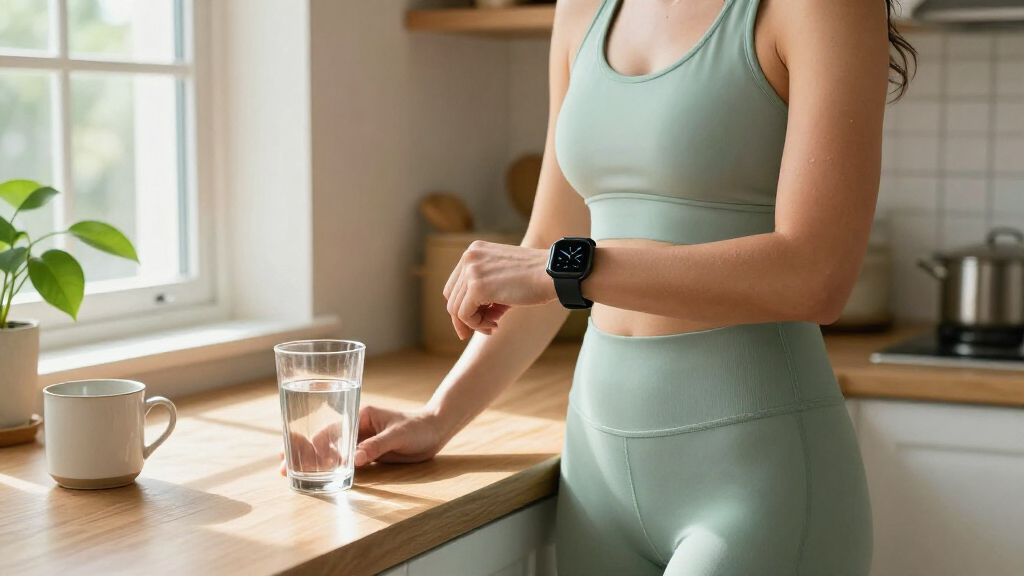
Personal wellness trackers are wearable devices and apps that collect signals about your movement, sleep, and other habits, then present estimates and summaries. A wrist sensor may notice motion and changes in your pulse; a phone app may count steps while the phone travels in your pocket. The device turns those signals into a picture of your routine, not a complete picture of your health.
Common features include steps, workouts, heart rate, sleep duration, and estimated calories. Some models also estimate blood oxygen, skin temperature, stress, or menstrual-cycle patterns. For instance, a fitness band might show that you took more steps on days when you walked to the train, even if you never started a formal workout. That estimate can help you recognize that ordinary travel contributes to activity, but it cannot tell you whether that activity was intense enough for a particular health goal.
Different sensors collect different clues. Motion sensors help identify movement, while optical sensors use light against the skin to estimate pulse. Sleep features infer when you may be asleep or awake from movement and other signals. The app then packages the results into colored charts, reminders, and weekly summaries. Each step adds interpretation: the device has to distinguish a walk from arm movement, infer sleep from stillness, and decide which changes are meaningful enough to display. Those choices explain why a tracker can be useful for comparing similar days while still misclassifying a particular workout or quiet period.
Features vary by model and region, so check the specific device documentation before relying on a particular function. A watch might offer an irregular-heart-rhythm notification in one market, while another model or region might not. More measurements do not automatically mean better information; each extra metric can add uncertainty, notifications, and data to manage. A simple step counter may suit your needs better than a screen full of numbers if your goal is to move more consistently.
Products Worth Considering

Philips Sonicare 7300 Rechargeable Electric Toothbrush with 3 Brush Heads, Black

LEVOIT Vital 200S-P Smart Air Purifier for Large Rooms

BowFlex Results Series SelectTech Adjustable Dumbbells (Pair)
As an affiliate, we earn on qualifying purchases.
How to Read Tracker Estimates Without Chasing Every Number
Personal wellness trackers are most useful for broad patterns, not as exact measuring instruments. A step count or resting-heart-rate trend may help you compare your own days, while calorie burn and sleep stages can be less dependable. Performance changes with the device, sensor, activity, fit, and person wearing it. A trend is most informative when the way you wear the device and the circumstances are reasonably consistent; switching wrists, changing bands, or comparing a rest day with a strenuous day can make the numbers harder to interpret.
Imagine your tracker says you burned 600 calories during a walk. That figure is an estimate based on the signals and assumptions built into the device; it is not a direct measurement of your energy use. Treat it like a weather forecast for your habits: helpful for seeing a general direction, but not a promise about what happened minute by minute. This matters if you are tempted to use the number to decide exactly how much to eat or exercise. The estimate may be wrong by enough to make that decision misleading, so it is safer to use it as a rough comparison of similar walks than as a precise allowance.
Sleep data deserves the same care. A tracker estimates sleep and wake periods from movement and physiological signals, so it may label a quiet spell as sleep or miss a brief awakening. Sleep duration is usually a simpler estimate than sleep stages. If a colorful chart says you had very little deep sleep after a comfortable night, your experience matters too. Stage labels can sound clinical, but a consumer tracker’s classification does not establish the quality of your sleep. If the chart prompts you to worry or change a routine that is working, step back and consider whether the data is helping.
Use a reading as a clue, not a verdict. A device can help you notice a trend, but it cannot diagnose a health condition or rule one out.
When a number surprises you, check whether the band fits as instructed and compare several days rather than reacting to one reading. Look for a repeated change that matches something you can identify, such as a different schedule or activity level; this gives you a testable question instead of a reason to chase every fluctuation. If a symptom concerns you, talk with a qualified health professional even if the tracker reports a normal result. Consumer readings are not a substitute for medical advice.
Use Weekly Trends to Build Routines That Last
Personal wellness trackers help most when you use them to notice your own patterns and choose a small next step. Their main value is not a perfect score; it is a regular reminder that lets you compare your routine over time. A week of estimates can tell you more about your habits than a single unusually busy Tuesday. Looking across several weeks can also reveal whether a change is part of your routine or just a temporary response to travel, illness, or an unusually demanding week.
For instance, you might see that your step count dips every Wednesday, when back-to-back meetings keep you at your desk. You could try a ten-minute walk after lunch on that day and check the next few weeks for a change. That experiment gives the data a purpose without turning your whole day into a contest against a target. If the count rises but the walk feels stressful or disrupts your schedule, the result may not be worth keeping; the tracker can show whether the change happened, but you decide whether it improved your day.
Reminders, streaks, and badges can provide a nudge, like a note on the fridge to water a plant. But a streak can also feel like a scolding if illness, caregiving, or a long shift interrupts it. A rigid target can encourage someone to keep moving when rest would be more sensible, while a flexible reminder can make a planned break easier to remember. Adjust goals and notifications to fit real life; you can disable features that create pressure or stop helping.
- Pick one question. For example, “Do I move less on days I work from home?” A focused question helps you avoid collecting numbers just because they are available.
- Watch a pattern for two or three weeks. Try to compare similar days, not a quiet Sunday with a packed workday. Longer observation reduces the chance that one unusual day drives your conclusion.
- Choose one small change. Add a short walk or set a bedtime reminder if that matches your goal. Keeping the change modest makes it easier to tell whether it fits your life.
- Review how it feels. Keep the habit if it works for you, even if the app’s score is not perfect. If tracking creates pressure or the change is impractical, revise the goal or stop the experiment.
Consistency matters more than buying the newest device. An older band you wear comfortably may tell you more about your real routine than an advanced watch that stays on the charger. The best data comes from a device you use in a reasonably consistent way, and consistency is easier when wearing and charging it do not become another chore.
Choose a Watch, Ring, Band, or App You’ll Actually Use
The right tracker is the one that fits your goals, comfort, budget, and daily routine. A watch may offer a bright screen and exercise features; a ring can feel less like wearing a gadget, though it may be awkward during some activities. A phone app requires no separate wearable, but it only tracks what the phone can observe or what you enter. Think about the tradeoff between convenience and detail: a device with more features can provide more ways to review your habits, but also more charging, setup, alerts, and information to interpret.
Picture a person who wants a gentle reminder to stand during desk work. A basic band with a long battery life might be easier to use than a large smartwatch that needs nightly charging. Someone who wants a visible workout display might prefer the watch, while a person who dislikes wrist devices might try a ring or a phone-based step counter. The choice also affects what data you actually collect: a phone left on a desk will miss walking steps, while a wearable you remove for comfort will leave gaps in its record.
| Option | May suit you if | Check before choosing |
|---|---|---|
| Smartwatch | You want a screen, workout tools, and phone features. | Battery life, size, and phone compatibility. |
| Fitness band | You want basic activity tracking in a light device. | Display readability, fit, and charging routine. |
| You prefer a small device and want features such as sleep summaries. | Comfort, sizing, activity features, and subscription costs. | |
| Phone app | You want to start simply without buying a wearable. | Which signals it can collect and how often you carry your phone. |
Comfort affects consistency. A tracker can irritate your skin, feel bulky at night, or be hard to read on a sunny walk. Battery life and charging matter too: if you dislike removing a ring every evening or charging a watch daily, that device may not survive your first busy week. Consider when you would charge it and whether missing those hours would interfere with the measurements you care about, such as overnight sleep estimates.
Some companies charge extra for detailed analysis, coaching, or historical data. Before buying, check which features work without a subscription, whether the device fits your phone, and whether you can use it without enabling every notification. A low upfront price may cost more over time if core features require a plan, while a more expensive device may be poor value if you only need step reminders. A practical fit beats a long feature list.
Protect Your Wellness Data Before You Sync It
Wellness tracker data may be stored by a device maker, an app provider, or services you connect to the app. What happens depends on the product, your settings, and the services you authorize. Before syncing, check which information the app collects, who can receive it, and whether you can delete or export your records. These details matter because activity, sleep, and routine patterns can reveal more about your daily life than a step total alone.
For example, you might connect a watch app to a nutrition service so both show your activity and meals. That link can be convenient, but it also means information may pass between companies. Think of each connection like handing over a copy of your weekly schedule: do it only when the added feature is useful to you. The tradeoff is practical: syncing can save manual entry and give you a fuller view, while limiting connections reduces the number of services that hold or process your information.
Use a strong, unique password for your account and turn on available account security features, such as two-step verification. Review app permissions and connected services now and then; a permission you accepted during setup might no longer serve a purpose. Limit sharing to what you want to share, and look for controls to delete old data or close an account. If you share a device or account with family members, also check whether summaries or notifications are visible to them.
Longer-term summaries and automated recommendations are showing up in more apps. Some describe themselves as AI-powered, but they still interpret collected signals rather than conduct a clinical assessment. A confident-sounding insight is still an interpretation. Check the device documentation for feature limits and availability where you live, and decide whether the convenience is worth the data sharing involved. It can help to ask what specific action a recommendation supports; if the advice is vague or does not fit your circumstances, you do not have to follow it just because the app presents it as personalized.
Know When a Tracker Alert Needs a Professional’s Attention
A tracker alert can flag a pattern worth checking, but it cannot confirm that you have a health problem or prove that you do not. Some consumer devices offer features such as irregular-heart-rhythm notifications or estimated blood-oxygen readings, depending on the model and market. Their availability and regulatory status vary, and consumer devices may not be validated for every use. The alert’s value is therefore limited: it can prompt you to pay attention or seek advice, but the reading alone cannot explain the cause or determine what treatment is appropriate.
Suppose your watch sends a heart-related alert while you are sitting on the sofa. Read the device’s instructions, note what you were doing, and consider how you feel. A notification could be wrong or incomplete, so speak with a qualified health professional about a concerning or repeated result rather than treating the screen as a diagnosis. A short note about when alerts occur and any symptoms can make a conversation with a professional more useful than repeatedly checking the app for reassurance.
The reverse matters too: a normal reading does not explain away symptoms. If you feel unwell or have a symptom that worries you, seek professional advice even when your tracker displays reassuring colors. How you feel matters more than a green checkmark. This is especially important because a tracker measures only selected signals at particular times; it may not capture the problem you are experiencing.
More monitoring is not always better for your peace of mind. A person who checks pulse readings dozens of times a day may find that constant alerts create stress rather than useful awareness. Repeated checking can make small fluctuations seem more significant and leave less room to consider how you actually feel. You can turn off metrics or reminders that increase anxiety, wear the device less often, or discuss a health concern directly with a clinician. Choose a level of tracking that supports your life.
Frequently Asked Questions
Are personal wellness trackers accurate?
Accuracy depends on the device, the measurement, and the situation. Step counts and resting-heart-rate trends can help you compare your own routine, while calorie-burn figures and sleep-stage estimates are less dependable. Treat readings as estimates rather than definitive results.
Can a smartwatch detect a heart problem?
Some watches can flag certain patterns, but notifications may be wrong or incomplete and features vary by model and region. A watch cannot diagnose a heart condition or rule one out. Talk with a qualified health professional about symptoms or concerning alerts.
How do trackers estimate sleep?
Trackers use movement and physiological signals to estimate when you may be asleep or awake. Sleep duration is a simpler estimate than sleep stages, which can be less certain. If a graph conflicts with how you feel, do not treat the graph as a diagnosis.
Do wellness trackers count calories accurately?
Calorie-burn estimates can be substantially off because a consumer device estimates energy use from signals rather than measuring it directly. They may be more useful for rough comparisons across your own activity than as exact numbers. Avoid treating one reading as a precise account of what your body used.
Do I need a subscription to use a tracker?
It depends on the product. Some devices include basic features but charge for detailed analysis, coaching, or longer-term summaries. Check which functions work without a paid plan before you buy.
What should I do if a tracker reading worries me?
Read the device’s guidance and check the reading again if the instructions suggest doing so. Consider your symptoms and contact a qualified health professional about persistent concerns or anything that feels serious. A normal consumer-device result cannot rule out a health problem.
Conclusion
Choose a tracker that feels comfortable enough to use, then give it one clear job: help you notice a habit you want to understand. Look for trends, test small changes, and let your own experience count alongside the charts.
Your tracker can be a useful notebook for your routine, but it should not write the rules for your body. Keep the readings in perspective, protect your data, and let the best insight be the one that helps you build a steadier day.